We bring you a wonderful interview with Stacy Brown! Stacy is the 21st century learning coordinator from the Davis Academy in Georgia. Stacy is a Voki user since 2010! Her goals in introducing Voki to the Davis Academy are to encourage student engagement, ownership and creativity!
Here are the things Stacy loves about Voki:
Voki is very easy to use
Voki captures the students’ interest
Voki helps integrate technology into the curriculum
As an Instructional Technology Specialist, I love it when teachers find easy ways to incorporate technology into their everyday lessons. Technology shouldn’t be separatefrom what you’re doing in the classroom – it should be woven into what you’re alreadydoing in the classroom. Voki is a tool that we use in just about every grade level and subject area in my district. It’s versatile, easy to use, and the kids (and teachers!) love it!
It was no surprise when Staci Stephens, 6th grade math teacher at Brenham Middle School, emailed and asked if I could help her with a Voki lesson in her classroom. Our school got a new Chromebook cart this year and we were brainstorming ways to use the cart in her math class. Staci decided to let her kids draw a math problem from the “problem paper bag” – like they had done a dozen times before – but this time they would have to script how they solved the problem. With a little help from Google Docs, the kids worked through their math problems and typed out every single step.
Normally students would groan about this kind of activity – math AND writing?! However, when you hold a flashy tool like Voki in front of them, all of a sudden writing about math looks like fun instead of work! Staci and I were amazed at the detail the students included in their writing and we marveled at the level of engagement and deep thinking that was going on in the classroom. You could have heard a pin drop – until the avatars started speaking!
Watching the students light up as their writing came to life in the form of a Voki avatar was priceless. In a single class period, the students had created virtual speaking tutors for dozens of fraction problems. In the process, not only did they ask meaningful questions about math and writing, but also about technology. Voki got the students to really THINK about how they solve a math problem, but in a fun and non-threatening way! Even struggling learners can feel successful with an activity like this. Here’s what some of the students had to say about this lesson and using Voki:
Katherine: I think it helped me because if you are visual learner or you need to hear it it helps you. You can hear the problem and it helps you work it out. The Voki was very helpful to all students whether they know it or not.
Rylie: Voki really helped me in Math. It brought the math problem to life. I now understand math a lot easier.
Estefania: Well Voki taught me how to cut short sentences for only the important things. Voki also is very fun to create your own character, to express who you are on your Voki.
Jesse: I like Voki because it is fun to do. It helps me learn because when I hear about stuff it gets stuck in my mind. It is fun to do because you help other people learn.
Arreyus: It’s technology and technology is well known in our century. It’s fun, but we still learn while having fun. Voki is a wonderful way for kids in this century to learn things.
Staci published the completed avatars on her teacher website with images of the problems being solved. Publishing completed work gives the students an audience which makes the learning real and more meaningful. See the completed avatars here: http://goo.gl/kDjbU. Here’s what Staci had to say about this lesson:
I like that Voki motivates students to communicate their thinking in a new and exciting way. Instead of solving 20 addition and subtraction of fraction problems, I learn much more about their problem solving process by having them explain 1 problem step by step. It is so difficult to hear the voices of each of my students on a daily basis, especially my shy students, but Voki enables each student to explain what they were thinking without the fear often involved with speaking up in class. I’m a big believer that learning mathematics is more than just solving problems- it is a problem solving process, but often when I ask students to write about or explain the process my students are very hesitant. Generally, they do not like writing, and do not feel they are good writers, but Voki gives them a way to communicate their thinking in a way they enjoy!
If you are looking for an easy (and FREE!) tool to use with any age students in any content area, I can highly recommend Voki and I know my staff and students would say the same. Brenham ISD loves Voki and I am certain your organization will, as well!
__________________________________________________________________________
This week we have an interview with Mrs. Stephanie Bullock. Mrs. Bullock is an academic technology teacher from The Lovett School in Atlanta, GA. She a Voki user since 2009! It was great that we have a chance to talk to Mrs. Bullock.
Here’s what Mrs. Bullock likes about Voki:
My students feel like they are creating something original and personal to share with a wider audience.
I love that my students can create their own backgrounds to further personalize their Vokis.
My most favorite thing is that Vokis are easily embeddable and they are there for me to share with the students’ family.
Mrs. Bullock created a Voki about how she used Voki in class. She and her third graders did a really great reading project by creating Voki characters to represents the characters from the books they read!
Q: What would you add to the Voki product?
A:I would add the ability to edit the student Vokis from the teacher account. My students were too young and my time with them was too limited to ask them to handle the audio conversions that were necessary, so I had to keep track of all their usernames and passwords in order to add the audio for them. It was time consuming.
Wider variety of acceptable voice and background formats. I’ve had to open students’ backgrounds using Preview and then export them as low-quality .jpgs in order for them to successfully be uploaded.
The ability to publish a Voki without having to add audio so that the students’ work during one computer class period will be saved for the next time they have class. I haven’t found a way to save their work before they are ready to add audio. (See my work-around below).
Q: Do you have any Voki tricks up your sleeve?
A: I use the application Audacity to convert audio files to the acceptable .mp3 format. My students only have access to the application Audio Recorder on their computer, producing an .m4a file that isn’t an acceptable file type.
To circumvent the publishing issue that I have, I usually type in a filler word like “test” in the audio component to Voki so that I am able to save students’ work from class period to class period.
It’s been a while since we had an interview with a teacher! This week we are featuring Angelyn Cheatham and her favorite Vokis! Angelyn is an elementary technology integration specialist for Garland ISD in Texas. She trains teachers and students on how to use technology tools.
Here are some of the reasons why Angelyn loves Voki:
Engaging for students to use
Safe way to publish student work without identifying faces
Allow students to communicate their messages
Can be integrated into any subject areas
Intuitive for even the youngest students
If you can’t view Angelyn’s Prezi here, click the picture below to open the link!
Hey Voki users! Recently, Voki did a podcast with Jeff Bradbury at TeacherCast.
TeacherCast was created by Jeff to help teachers use technology in their classrooms. Follow @JeffBradbury and @TeacherCast on Twitter to get great updates on cool technologies to use in class! If you have any cool apps or would love to share your ideas with Jeff, feel free to reach out to him!
If you missed it on TeacherCast, listen to it here!
If you want Voki to be a guest blogger on your site or record a podcast with you, just send us an email at feedback@voki.com!
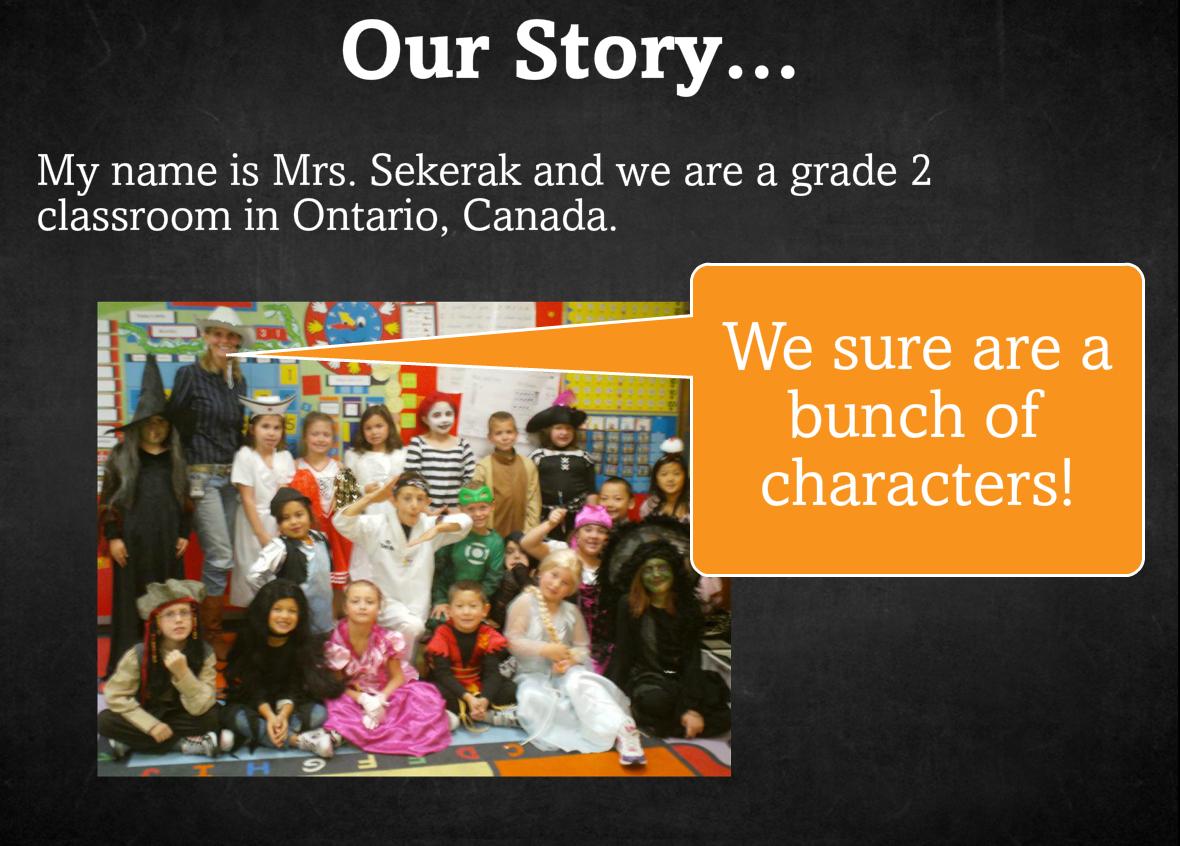
This week’s Interview with Educators features Chantelle Sekerak and her grade 2 class. Chantelle is a teacher in Ontario, Canada and first started using Voki to increase commenting activity on her classroom blog. From the looks of it, she and her class loved Voki so much that they made it a regular part of their lessons!
As you see in her SlideRocket presentation, Voki evolved from being a blog buddy to a lesson supplement. Now, she and her students use Voki to showcase their class activities such as math riddles and book talks!
Check out the presentationto see how Voki has been used in Chantelle’s class plus get some great tips and tricks! Be sure and click through to the end to hear her students share what they like about Voki!
Last week,when we came across a video of students using Vokito edit their writing, we had to find out who was behind the great production, interesting lesson, and big smiles found on every student’s face. The search led us to Chase Young, a second grade teacher, and Lynda Swanner, the language arts coordinator for McKinney ISD. Chase and Lynda are from McKinney, Texas and have worked together to create interactive and informative environments for students to develop as confident writers. We got in touch with Chase to find out more about how he uses Voki to motivate and improve literacy and he was more than happy to share his and Lynda’s tricks of the trade. Check out the great ideas below!
Conferring with an Avatar
Teachers can use this 21st century method for proofreading when students do not read over, or are unaware of revision or editing needed in their stories. Lynda Swanner and I devised this strategy to motivate students to actively revise and edit their own writing. This strategy helps students discover what they need to revise and edit and also empowers student as writers. They become aware of their own problems in writing, and they can self-regulate the writing process. Students use this self-discovery strategy of revising and editing to privately critique their work before conferring with the teacher. Here are a few brief steps to get you started using this strategy.
1. Students create an avatar using Voki.com. We suggest limiting the time because students and teachers could spend all day creating the perfect avatar.
2. Students type a sentence, paragraph, or section of their stories into the Voki text box.
3. Students listen to the speech and read along several times.
4. Students make corrections.
Consider the following example. The student noted a lack of punctuation after conferring with an avatar.
Mr. Young: What changes are you going to make?
Student: I need more periods.
Mr. Young: How do you know that?
Student: …It wasn’t very good, because it went in one fast glob.
This next example shows how a student caught a spelling error from listening to the avatar.
Mr. Young: What changes did you make?
Student: I needed to fix some spelling errors. I needed to spell “grabbed” correctly.
Mr. Young: How did you know it was spelled wrong?
Student: It sounded wrong.
Mr. Young: Do you remember how the avatar said it?
Student: “grabed” (Student uses a long a sound.)
Mr. Young: We know that you have to do WHAT to the consonant?
Student: Double it!
Based upon the avatar’s rendering, students were able to reflect and make changes to their work without teacher direction.
*The full chapter is currently being published by Corwin Press and will available soon in Writing Strategies for All Students in Grades 4-6: Scaffolding Independent Writing Through Differentiated Mini-Lessons.
Chase Young is a second grade teacher in McKinney, TX. He holds a MS Ed with a specialization in literacy. He is a Doctoral Candidate at the University of North Texas. He has written for the Reading Teacher and Education Review, published a book entitled Teaching Texas History through Readers Theatre, and contributed several chapters to educational books. When he is not teaching, studying, or writing, he is wondering where his free time goes. He enjoys playing the guitar, paintball, racquetball, grilling, concerts, billiards, pools, and golf carts (not to be confused with golfing).
Lynda Swanner has been a teacher, library media specialist, and literacy staff developer. She is currently the English Language Arts and Reading Coordinator in McKinney Independent School District in McKinney, Texas. She coordinates the curriculum, instruction, and assessments for all elementary teachers in the district. She is also a literacy consultant for many Texas school districts. Over the years, she has presented many workshops that integrate technology and literacy for the International Society for Technology in Education.
If you would like to share your tips and tricks on our blog, please email us at submit@voki.com. We always love to hear how Voki is being used to enhance students’ experiences in the classroom!
Every month, we like to get a teacher’s perspective of Voki and learn more about how he or she uses Voki in the classroom. Usually, the teachers we interview have been Voki fans for quite a while. This month, we got the chance to talk to Vivienne Roberts, a Curriculum Leader and Assistant Vice Principal at All Saints Academy Dunstable in England and a Voki newbie!
Check out Vivienne’s interview below which offers a fresh perspective on Voki, especially when it comes to her ideas for Modern Language classes.
Tell us a little about yourself.
I am Curriculum Leader for Communications and Assistant Vice Principal at All Saints Academy Dunstable in England, which caters for students aged 13 to 19. While I am responsible for English and Literacy, my subject specialism is Modern Langauges. I discovered Voki only very recently and noticed immediately how useful a tool it could be for my students.
How do you use Voki?
I’ve begun by using Voki with my 14-16 year old students as part of the preparation for speaking assessments. I’ve set up a classroom for them and have created a number of lessons, using the types of questions I plan to ask in the test. In the instructions for each lesson, I include some hints as to the language structures I would like them to use. The students then create a Voki for each one and type in their responses to the questions. By changing the language and the voice, they can hear accurate pronunciation and intonation. By listening to their Vokis, they can learn their material for the test more thoroughly and they really enjoy creating the characters and playing around with the different voices, accents and special effects.
What are your 3 favorite things about Voki?
I love the fact that Vokis give my students greater independence in their learning. There is only one of me to go round a whole class but the foreign language voices in Voki allow them to listen and learn at their own pace. They forget that they’re learning because they have so much fun making weird creatures and trying out the different voices. Without being aware of it, they listen to their work several times over, thus consolidating the language content.
We can also create Vokis using sound files of the students speaking. Many students are reluctant to speak in another language in front of their peers but attaching the sound file to a Voki allows them to ‘hide’ behind the avatar and feel less self-conscious.
I can create my very own bespoke Vokis for my students as listening comprehension activities. The Voki will allow me to include exactly what I want, rather than relying on resources create by another person based upon what they think my students should learn. Vokis are very liberating!
What is one of your favorite lessons you have taught using Voki?
I’m still a Voki novice but using the Vokis for preparation for speaking tests has inspired my students. They want to add more to their Vokis – the Vokis are funny and the more they say, the funnier they become. Having a different Voki for each question really helps them. They can visualise the creature and this helps them to recall what it says i.e. their own answer to a question.
Do you have any Voki tricks up your sleeve?
As for tips, I’m sure I’ll acquire a few as I become a more competent user! At the moment, I’ve only really got the basics, but I know I’ll find a few tips and quick fixes as I get better at it. In the meantime, we’re having a lot of fun in Spanish and French lessons and that is priceless.
Want to be interviewed for this section? Send us a note and a link to your blog/ twitter: submit@voki.com!
We love hearing about how teachers from all over the world use Voki in their classrooms. In this edition of our Interviews with Educators series, we get a sneak peak inside of Lyndell Allen’s music classes in Ballarat, Australia! Have we mentioned that we love Australia!?
Lyndell Allen is an engaging and very busy music teacher, and mom of 3 boys. As well as teaching her regular music classes, Lyndell specializes in choral music and is the director of 4 junior choirs, a girls’ chapel choir, a boys’ chapel choir, and the chamber choir at school! Oh, and she’s also a bit of a Web 2.0 enthusiast and practitioner! Lyndell was kind enough to share with us some info about herself, her classes, and how she uses Voki as a tech tool (an “instrument”, if you will) to accompany her in the classroom.
Check out her video below to learn more about Lyndell and how Voki can be musical!
If you’re on Twitter, make sure to follow Lyndell: @lalalyndella
So, what do you think about our latest Voki Interview with Educators? We’d love to hear your thoughts.
Want to be interviewed for this section? Send us a note and a link to your blog/ twitter: submit@voki.com!
Mrs. Kimberly Church is a Spanish teacher… Kimberly uses Voki in her Spanish classes, and she also teaches other educators about the benefits of using technology (such as Voki) in the classroom. Below is an interview with Kimberly, as well as a couple of videos her and her class created about Voki. Here is Kimberly’s video on how she uses Voki in her Spanish classes. To view more of Kimberly’s class videos, visit her YouTube channel, evansspanishteacher. Below is Kimberly’s interview, as well as another Voki video about using Voki in oral tests.
Q: So, Kimberly, why do you use Voki?
I discovered Voki 2 years ago and just love it! Voki takes the stress out of “presenting” a memory piece in another language in front of the class, and students can focus on the material on the screen in front of them. The kids have fun, (dare I say the words “fun test?”), and of course, I as the teacher have fun reviewing their very best material. 🙂 I emailed the parents the link to the website to view their child’s oral test, (the Voki), and they loved it too. Over the weekend, at least 15 parents embedded their child’s Voki to their Facebook. It’s something the kids are proud of, and instead of dreading oral test day, they really look forward to it. 🙂
Q: Has Voki helped you with assessment?
Using Voki for oral tests allows the student to hear what I hear. I can’t tell you how many times students would ask, “Why didn’t I make a 100 on my oral test?” I would point out that they mispronounced a word, or said a wrong word and they would reply, “I did?” Using Voki allows the students to hear themselves, as an evaluator, and they can re-record until they’re happy with it, and attach the recording to a Voki, making the assessment creative. Students who use to make low assessment grades on oral tests are making perfect scores taking their oral tests using Voki. Efficient and Proficient!!!!
Q: We heard that you’re something of a Voki expert among your peers, right?
I actually enjoy using Voki so much, and use it for so many tasks and assessments in my class, I teach a workshop for teachers about how to apply Voki in their class, (even at the MWALLT conference at the University of Minnesota). I have become known as “that Voki teacher” at my campus, and even in my district. As long as I keep the content fun and integrate technology to make learning efficient, I’ll never stop looking for ways to infuse my lessons with great technology, like Voki. As a foreign language teacher, I’m looking for “efficient proficient,” and Voki gives me that.
Q: Have you had a chance to use Voki Classroom?
I have to say, it has been much easier to sell the benefits, since you have come out with Voki Classroom. It is so much easier to have the students organized in classes, and have their assignments posted and ready to work on when they open up their account. I look forward to spreading the word about Voki and Voki Classroom. Thank you for all you have done for my students. I can’t wait to see what Voki will come up with next, for uses in the classroom. 🙂 k. pura vida — And here are Mrs. Church’s students talking about using Voki in oral tests:
 We bring you a wonderful interview with Stacy Brown! Stacy is the 21st century learning coordinator from the Davis Academy in Georgia. Stacy is a Voki user since 2010! Her goals in introducing Voki to the Davis Academy are to encourage student engagement, ownership and creativity!

 The Voki Blog - Expanding Education