Guest Blogger (and Tech Aficionado) Jon Smith Shares His Top 6 Tech Tools!

Guest Blogger (and Tech Aficionado) Jon Smith Shares His Top 6 Tech Tools!

Top 6 TECH Tools

“When children create for the world they make it good.  When children only create for the teacher they make it good enough.”

-Rushton Hurley

Are your students drooling on their desks after they fell asleep in your class?  Do kids run from your room in fear of another worksheet?  If you answered yes to these questions, this blog post is for you.  Many people have their top 10 lists but I decided to be different. Below I will share my top 6  tech tools for the classroom.  Before I do, I would like you to know that I am a huge proponent of student created materials.  Most of the tools I will share are all great tools for creating and sharing student work and can be used in any subject area.  
FB Ad_5 copy

1.Voki

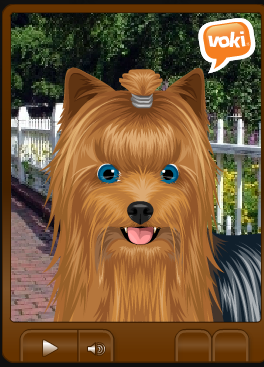
I am a former special education teacher.  One of the hardest parts of my teaching was getting students to share in class.  Book reports, papers, summaries, etc. were all troublesome because kids did not want to share in front of a room of their peers.  Voki is a great online tool for creating animated avatars.  Voki is simple to use and allows students to have an animated character do the talking for them.  Simply type in the text you want to have the character say, choose a voice and watch the magic happen.  Voki also has classroom tools that allow teachers to organize and collect student work.  If you haven’t given Voki a try, you must do so.
book creator

2, Book Creator

Book Creator is a simple app for the iPad that allows anyone to create eBooks.  I’ve used Book Creator with my students to write and publish over 40 eBooks.  Your students will love being able to write eBooks using Book Creator.  Students can add text, images, drawings, videos, voices and much more with this amazing app.  As a matter of fact, anything you can get into your iPad’s camera roll can be put into an eBook.  I’ve used this app with grades K-12.  

explain everything

3. Explain Everything

“Solve the problem and explain how you got the answer.”  This is a common statement made by teachers and tests across the world.  The problem is, students don’t know how to explain what they are doing.  Explain Everything is an outstanding app that allows students to create videos demonstrating how they learn.  Students can write information on the screen with voice overs giving teachers a peek into their thinking.  Students can add pictures, text, voice, shapes and many more things to the videos.  There is even a lightsaber laser pointer tool.  If your kids weren’t hooked on the app before the introduction of the lightsaber, they will be interested now.

ibooks author

4. iBooks Author

iBooks Author is another tool to help students write and publish eBooks.  iBooks Author is a full featured tool allowing students to add many forms of multimedia to their eBooks.  If you can type, you can write and publish a book.  iBooks Author is drag and drop and fairly simple to use.  

flocabulary

5. Flocabulary

Students love music.  People love music.  Flocabulary is the best at making educational hip-hop music videos.  The videos range in complexity from simple math to historical concepts.  I can say without a doubt that Flocabulary is my favorite website for educational music.  Flocabulary offers lesson plans, quizzes and much more for students to learn vocabulary.  Flocabulary also has a section dedicated to the week’s most important events.  The Week In Rap will surely get your kids’ feet tapping while allowing them to learn something at the same time.

pixel press

6. PixelPress

PixelPress is a company that created the app called Floors.  This app is a fantastic app that allows students to design, create and publish their own side scrolling video games.  Students can draw their video games on paper, scan them with their iPads and then magic happens.  The drawn video game is transformed into a side scrolling game that can be published to a public library of games.  I’ve used this app with kindergarteners.  I would recommend using it with slightly older kids but it did work with young ones.

I hope this blog post has given you a snapshot of my favorite tech tools to use with your students.  They will engage them, challenge them, and above all provide them with the opportunity to create and share with the world.

image1Jon Smith is currently a Technology Integration Specialist for Alliance City Schools where his class iBooks project has attracted attention for its global reach and practical approaches to integrating transliteracy practices into the classroom.  Jon was a special education teacher for 12 years before moving into technology integration.  Jon recently organized a global iBook project in which 35 classrooms from around the world wrote and published an iBook of poems.  He is married with 2 children.  Jon is a scratch golfer and Apple enthusiast.  In his spare time, he teaches a class on engaging technologies for The Communicate Institute.  Jon is an Apple Distinguished Educator. You can connect with Jon on Twitter @theipodteacher

Thanks Jon for sharing such valuable tech picks with us!

Voki Halloween Contest!

Voki Halloween Contest!

Untitled design


Give your students the chance to use their imaginations for Halloween!

We invite all students to create their own Halloween Vokis!

bat
How to Enter:
1. Create a Voki Character with a Halloween message, joke, or story. (No longer than 60 seconds!)
2. Teachers you can send the Vokis to us at feedback@voki.com with:

• Subject Line “Voki Halloween”
• Teacher name, school, grade, class, location (Miami, Fla or Johannesburg, S. Africa)
• Your social media handle/name so we can mention you on Google+, Facebook, and Twitter!

frankenstein

One lucky class will be picked at random to win a $50 Amazon Gift Card for a class

Halloween Party—on us!

wizard

But, do not fret!!

Even if you don’t win the gift card, we will be sharing YOUR Halloween Voki’s on OUR Twitter, Facebook, and Google+ pages! So keep your eyes peeled!

Deadline for submissions is  October 21st!

We can’t wait to see what you come up with!

Until Next time,
Heather

Heather

 Bio: Heather is the Community Manager at Voki and is part of the Marketing Team at Oddcast.  Before she joined the Voki team, she was a teacher for 7 years!  She has taught in charter, private, and public schools all across NYC. With her teacher hat on, she will create meaningful, engaging, and relevant content that can be implemented in your classrooms.  She is excited to partner with you to engage and educate your students! 

5 Innovative Ways to Use Voki in the Classroom by Guest Blogger Tyler Hart!

5 Innovative Ways to Use Voki in the Classroom by Guest Blogger Tyler Hart!

5 Innovative Ways to Use Voki in the Classroom

Welcome our guest blogger for this week… Tyler Hart! Tyler is an avid user of Voki and a total techie teacher! Here are 5 innovative ways that he has used Voki in the classroom!

Voki is a great website that allows you to create speaking avatars. You can embed these Voki characters into your blog page to play later for your students or use directly from the site. Voki has also expanded their brand to make the learning experience even more engaging with Voki Classroom, Voki Presenter, and Voki Teach. While these options are amazing in their own right, the free version of Voki can be utilized in many fun ways to help engage your students. Below are five innovative ways you can use Voki in your classroom right now. If you’re  interested in other ways to integrate Voki into your lessons, check out Voki’s Lesson Plan Ideas Page!

1. Presenting on Researched Content

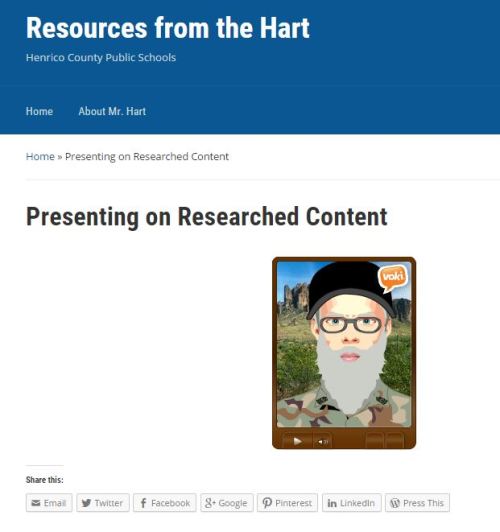
Having students research their own topics or content is great, but many times finding time to have them present their findings to the class can be hard. Using Voki can be a great way to post students’ research. Students can write up a script about the most important facts about their content, and record themselves reading their findings. This one was a particular favorite of mine because the partners created Uncle Si from Duck Dynasty to report the information!presenting on researched content

To see Voki in action click here —–> http://blogs.henrico.k12.va.us/trhart/voki-research

2. Content Review Center Activity

Students don’t have to be the only ones to join in on the fun. I love making Voki Characters to help students review content or to give an assessment for me. Students would listen and pause the character when needed to either comment on our blog page for answer, or they would fill out an assessment sheet to turn in. This was a great time saver since I was able to use this as a center as well!

content review activity

To see Voki in action click here —–> http://blogs.henrico.k12.va.us/trhart/content-review-activity

3. Historical Figures

Want to spice up history class when learning about historical figures? Have students identify important moments from the life of a historical figure. Using their research, have the students write a script in a first-person narrative and have them record themselves reading their scripts.

historical figures

To see Voki in action click here —–> http://blogs.henrico.k12.va.us/trhart/historical-figures

4. Mystery Voki – Who am I?

Another fun idea to use with historical figures is a Who am I game. Have students create their script about their about person in a first-person narrative style. Instead of having the students record the information saying who the person is, they read their information and end with the question, “Who am I?” This could be a great review game do use with the class.

mysery voki - who am i

To see Voki in action click here —–> http://blogs.henrico.k12.va.us/trhart/mystery-voki-who-am-i

5. Autobiographies

Have your students write an autobiography about themselves. We used a simple question starter template with the students to help them with certain things about their life to write down. After filling out the information, the students wrote their paragraph story about themselves, created their Voki, and recorded themselves. The students will have a blast learning about each other!

autobiographies

To see Voki in action click here —–> http://blogs.henrico.k12.va.us/trhart/autobiographies

Tyler Hart has worked and taught in elementary education for 13 yeatyler hartrs at Henrico County Public Schools in Virginia. This school year will be his second in an administrative role as a Resource Teacher at Sandston Elementary.  Previously, he was an Instructional Technology Resource Teacher for two years, and before that, he was a 3rd grade teacher. In his last year as a classroom teacher, he was honored by being nominated and selected as one of the Henrico Citizen’s Top 20 Teachers in Henrico County.

Join The Voki Team!

Join The Voki Team!

Voki Ambassador Badge

Hello Future Voki Ambassadors!

I wanted to share with you a big change in the Voki Ambassador program!

We’ve decided to make the Voki Ambassador program the type of program that you must re-apply to every school year. We feel this will keep engagement and energy high in the Voki Ambassador community!

Voki Ambassador Program Reboot

Ambassadors will receive:

  • 5 90-day bundles to give away!
  • Voki Swag will be based on frequency/quality of posts!
  • Voki Swag will be sent out monthly–we have some really fun and valuable items for you and your students and are looking for your suggestions on more items!
  • Support from me and Voki Tech team regarding any Voki problem/concern/question!

 If you’d like to apply for the 2015-2016 school year, it’s easy!

 Directions to apply:

Step 1: Like Voki Facebook Page

Step 2: Follow Voki Google+ Page

Step 3: Follow Voki Twitter Page

Step 4: Follow Voki Pinterest Page

Please answer all questions on this survey: https://www.surveymonkey.com/r/vokiambassador

Once you’ve applied, you will get a response within a week from yours truly, letting you know if you’ve been chosen to join the Voki Ambassador team!

I can’t wait to work with all of you creative and driven teachers!

Until Next Time,

Heather 

HeatherBio: Heather is the Community Manager at Voki and is part of the Marketing Team at Oddcast.  Before she joined the Voki team, she was a teacher for 7 years!  She has taught in charter, private, and public schools all across NYC. With her teacher hat on, she will create meaningful, engaging, and relevant content that can be implemented in your classrooms.  She is excited to partner with you to engage and educate your students! 
Monthly ‘Mazing Resources with Voki!

Monthly ‘Mazing Resources with Voki!

Hi Voki Users!

With the new school year also comes new ways in which we hope to provide value to you!

Once a month we will write a blog post that will highlight some excellent resources that we feel deserve the Voki Seal of Approval! The resource could be a blog, an Edtech tool, a video, or even a worksheet! If it provides value to teachers, it may show up in this blog post!

go noodle

1. Go Noodle

Go Noodle provides teachers and students with fun brain break activities to last the entire school year. Go Noodle’s physical activities allow students to channel their physical and emotional energy in a positive way.  All exercises are five minutes or less. It‘s a quick and super fun way to get your students back on track and focused at different points of the day! You should definitely check them out! Props to Go Noodle! You have received the Voki seal of approval!

teaching with terhune

2. Teaching With Terhune

We don’t think there is anything this teacher hasn’t thought of!  Do you need labels for….. EVERYTHING in your classroom? Mrs. Terhune has got you covered. She has binder spine labels for binders that store worksheets categorized by topic.  (e.g. frogs and apples) She has storage bin labels, pencil bin labels, table labels, seat labels.  She pretty much has a label for everything to help with classroom systems and organization. She has created a lesson plan template that will make you want to cry with excitement.  Most recently and possibly the coolest of all, are the aprons she created with the help of her mother. Now, this is not your ordinary apron. This is a teacher’s beautifully crafted tool belt that can be used to house pencils, incentives, pens, keys, expo marker– any object you tend to put down and lose throughout the course of a day in the classroom. Voki gives props to Mrs.Terhune!  You have received the Voki seal of approval!

ipad apps for schools

3. IPad Apps For School

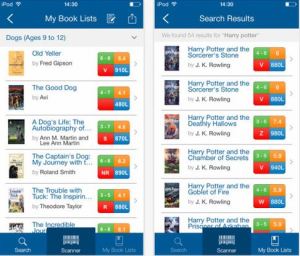
This site highlights valuable IPad applications for school teachers and school aged children. We love this site because it explains very simply how each app can be used and how to use it!  One App that we noticed (this is kind of a 2 –for-1)  is the Book Wizard app that is available via Ipad and IPhone.

This is a free  App that allows teachers to “scan a book’s barcode to quickly discover its Lexile measurement, grade level equivalent, and guided reading level.” You can also create book lists and share these book lists via e-mail, Pinterest and twitter. Pretty cool, huh?

Thank you Richard Byrne for sharing this amazing and time-saving app! Be sure to check out his other websites : Free Technology for Teachers and Android 4 Schools

Props to Richard Byrne and the Book Wizard App (created by Scholastic) you have received the Voki Seal of Approval!

book wizard

book wizard

Take some time to explore these “Monthly ‘Mazing” resources!

If you have any suggestions for our Monthly ‘Mazing Resources blog post, please drop us a line at feedback@voki.com

If you have an awesome resource we will highlight it here and shout you out for contributing!

Until Next Time,

Heather 

HeatherBio: Heather is the Community Manager at Voki and is part of the Marketing Team at Oddcast.  Before she joined the Voki team, she was a teacher for 7 years!  She has taught in charter, private, and public schools all across NYC. With her teacher hat on, she will create meaningful, engaging, and relevant content that can be implemented in your classrooms.  She is excited to partner with you to engage and educate your students! 

Giving Students a Voice….Literally

Giving Students a Voice….Literally

 Giving  Students%0Aa Voice

Welcome Laura Fleming as  our Guest Blogger for this week! We are supremely happy to hear about how she has been able to give students the opportunity to speak in the classroom through Voki. 

Breaking down the barriers between students and teachers allows the opportunity for everyone to be learners learning together.  In addition to leveraging the distribution and proliferation of knowledge, students are empowered to take ownership of their own learning.  Engaging student voice allows them to have a significant degree of control and choice in what, when, and how they learn.  As educators, we cannot overlook how important it is for us to stop and really listen to the young people we work with everyday.  By embracing the voices of our learners, we all can transform education and make a difference in the world.  But what happens when your learners cannot express that voice?  This was the case at our school.


One of the teachers at my school was charged with teaching a public speaking class made up of developmentally disabled children.  She had taught many of those children for years and knew the best methods and tools to use with them to support their learning and allow for them to achieve success.  This teacher, however, was faced with an incredibly tough challenge.  Despite teaching one of the students in the class for 6 years, she had never heard this student speak.  It was at this time, I introduced the teacher to Voki.


At first glance to some, Voki may appear to be a ‘cool tool’ where students can create talking avatars.  For some students, that is the motivation and what they love best about the tool.  But in our case, it was Voki’s ability to give our student a voice, that made it such a powerful tool.  Our student was able to type text into Voki and then choose an avatar and a voice to speak the text for her.  She was able to tell us a story about an operation she had to fix her aorta and how she was brave even though it hurt and how important the comfort of her pet was in calming her nerves throughout the process.


Public speaking is an  important component to the educational process of special educations students with severe disabilities. Voki unlocked the silence of an eighteen year old student with selective mutism. Not only did we use Voki with that one student, we decided to use it with the entire class.  Students were able to speak or type their text, allowing for personalization and differentiation.


The simple experience of “making a toast” became life changing for one student. This student had not spoken in a classroom for the three years she had attended our high school. Using the Expanded Expressive Language tool she was able to fill in the graphic organizer to brainstorm her ideas of what she wanted to say.   With the help of her assistant she typed the text into Voki. Voki allowed her experience of making toast for her father’s birthday to come to life.  For the first time, other students and teachers were able to hear her words.  She was smiling during her entire presentation. She enjoyed picking her “person”, background and voice.  Voki was key to helping this student verbally express herself.


Thank you, Voki, for giving our students a voice.

headshot 2Laura Fleming is a library media specialist at New Milford High School in New Milford, NJ.  She is also the author of Worlds of Making:  Best Practices for Establishing a Makerspace in Your School, published by Corwin Press.

Voki = Digital Tool of Choice

Voki = Digital Tool of Choice

Hello all you dedicated, determined, and tech-savvy  teachers! This Friday we’ve got another new and interesting perspective on how to use Voki in the classroom. Welcome Elizabeth Graham, our guest blogger and newest ambassador! Take it away, Elizabeth!
Hi everyone! Elizabeth Graham here. As a newly minted school library media specialist, I am always searching for engaging ways to integrate technology with curriculum content. During my school library internship, I learned about Voki and had the opportunity to try it out with a second grade biography project. Any time I have introduced Voki to students, they have immediately wanted to use it!
At my current school, Voki has been a tool of choice for several projects. The most recent example is our 5th graders’ Roaring 20s research. In collaboration with a fifth grade social studies teacher, this project allowed students to choose from a list of topics related to the 1920s in the United States. Students then spent several weeks utilizing research databases and other high quality resources to develop more understanding of their chosen topic. This is where Voki comes in. Students were given a choice of various web tools to use to develop a digital product that would reflect their learning about their topic. Once I demonstrated Voki to the class, the majority of students chose to make Vokis!
Students were instructed to either create an avatar of the famous figure they researched or to create a spokesperson avatar to explain the topic. The most important guideline was to work on the script or text first, then to customize the avatar’s look, background, and voice style. I have found that some students will get caught up in the design style and might forget to review their text.
Students worked on their Vokis for several weeks in a row during their library class. Each week they received feedback from me via the Voki review page. Notes included reviewing spelling, punctuation, capital letters and other writing fundamentals that make all the difference when creating a successful Voki.

My favorite part of this project was Presentation Day. Each student had the opportunity to share their project and the many Roaring 20s Vokis were big hits! Using Voki and other web tools, my students created digital products that reflected their learning. It was also a chance for students to bask in their accomplishments or, in a few cases, to realize they could have put in a little more effort. That is authentic learning and self evaluation!
Another plus of a web tool is how easy they are to share. Student Vokis were linked to our school library web page so that we could share them beyond our school community.

My 5th graders love Voki so much they have requested one more Voki project before the end of the year. Over the next few weeks, students will create Vokis of themselves leaving a message to the rising 5th graders, letting them know the ins and outs of life at our school. We are calling this our Legacy Vokis.

Elizabeth Graham is a School Library Media Specialist at Woodland Heights Elementary School in Spartanburg, South Carolina. Every week she provides library classes to over 500 students in grades K4-5th grade. Graham received her Master of Library and Information Science from the University of South Carolina. She enjoys collaborating with classroom teachers to integrate technology into the curriculum and is always looking for new apps and web tools to try with her students. Her favorite thing is helping students create digital products that reflect their learning and encouraging them to share their work widely with the school, community and the world.

Woodland Heights Library Readers Blog: http://woodlandheightslibraryreaders.blogspot.com/
Twitter: @libscigal

Just another innovative take on integrating tech into the classroom! How are you blending your classroom?

Bringing Book Talks to Life With Voki

Bringing Book Talks to Life With Voki

Welcome Carie Hinkle to the Voki Ambassador Team!  You’re in for a special treat with this Techie Teacher’s Techniques ( gotta love alliteration!)  Take a seat, take some notes, and take heed of our guest blogger’s implementation of technology in the classroom!

Bringing Book Talks to Life With Voki

By Carie Hinkle


Are you searching for a way to breathe new life into student book talks?  Perhaps you want to create a way students can share what they’re reading that transcends the boundaries of your classroom walls.  Allow me to suggest Voki.com.  


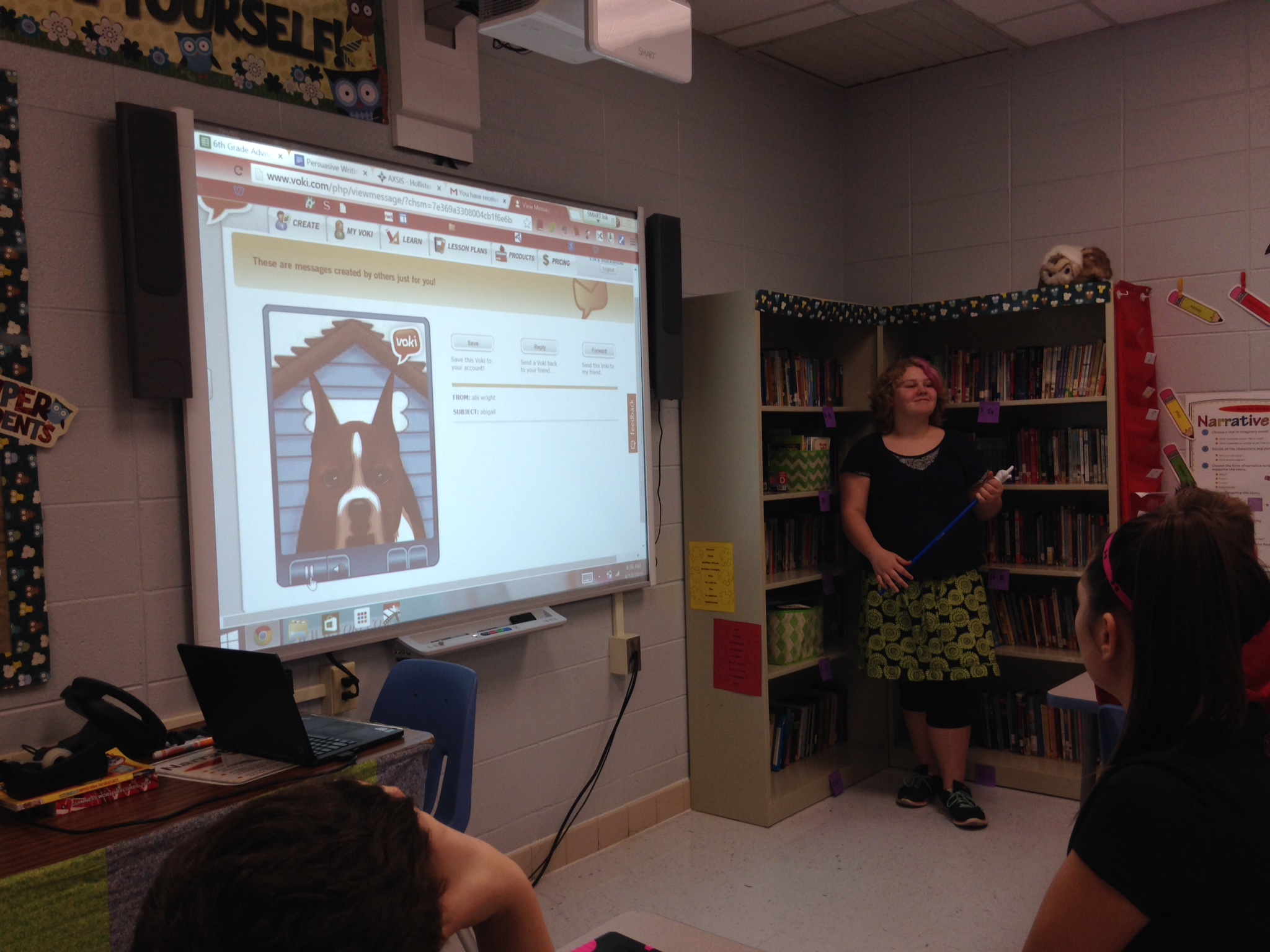
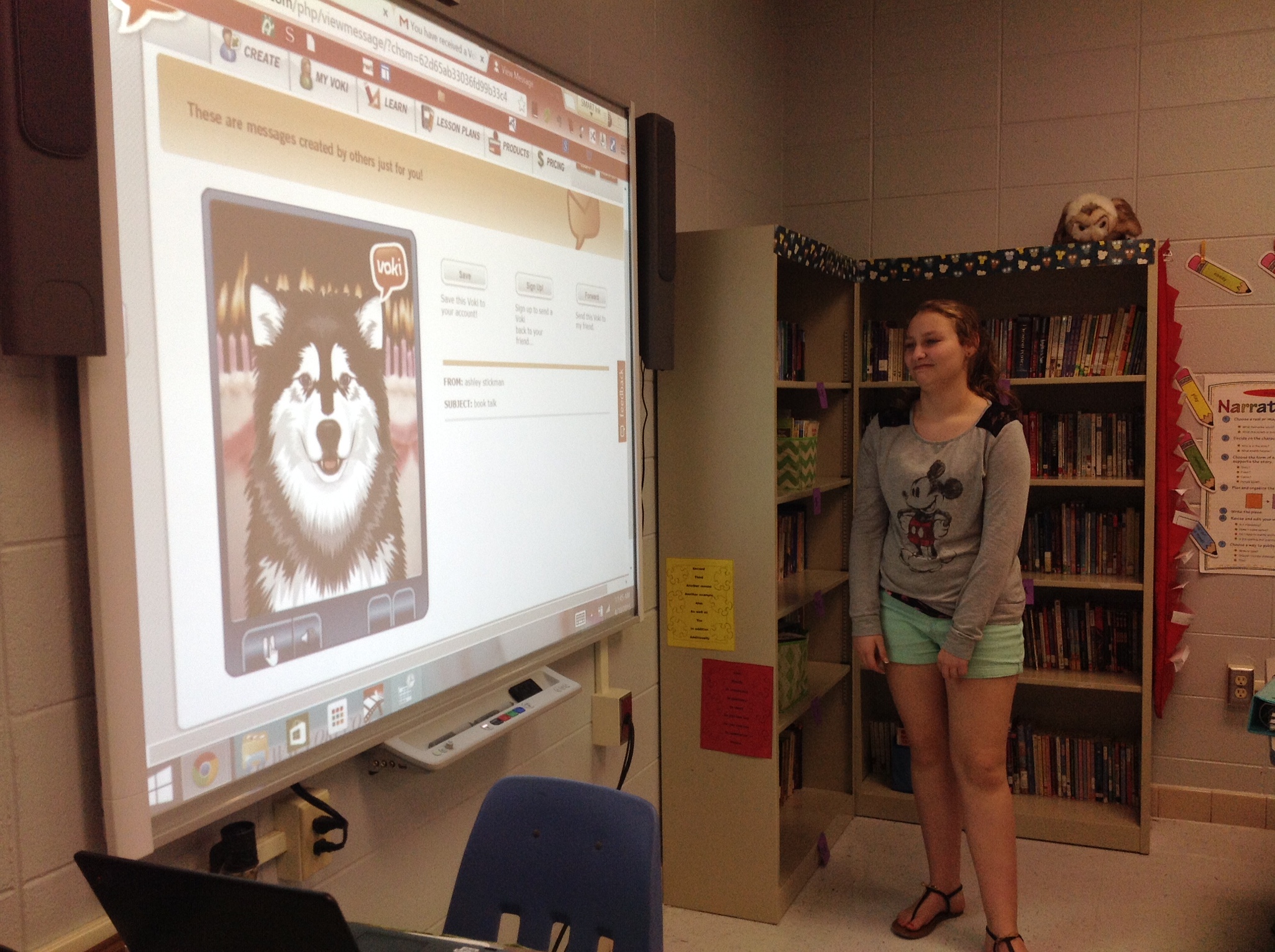
Greetings!  Carie Hinkle here.  I’m a sixth grade English Language Arts instructor in the heart of the Ozark Mountains in the U.S. I first came across Voki a few years ago while attending a technology conference.  However, it was a student led event in my own classroom that brought the full value Voki has to offer to my attention.  Student leaders were charged with the task of creating a lesson integrating technology with a relevant classroom application.  One of our student leader teams selected Voki as their technology tool. Throughout the day I received a flood of Vokis created by my students sharing everything from what their plans were for the weekend to their favorite event from the day, but my student leaders struck gold when they gave each class their summative assessment.  Their assignment? Create a Voki about a book you recently finished and email it to Mrs. Hinkle before you leave.  The idea of Voki Book Talks was born!


Taking from their idea, I began to look at the current format students were using to share about their reading  and how I could implement these expectations into this amazing resource.  Next, I set up a list of expectations each Voki would need to share during the book talk and within a few days my students were creating highly engaging and informative book talks.


hinkle2

Book Talk Expectations

Here is the list I established for Voki Book Talks:

  1. Create a Voki for each book you would like to share with others.
  2. It must include your Name. (First Name Only)  Ex. “Hi, George here.”
  3. Title of Book and Author of Book
  4. Three specific details about the book.
  5. Your favorite part of the book.
  6. Would you recommend this book? If yes why? If no, why not?
  7. Your Voki must be written in complete sentences, using correct conventions, and it must make sense.
  8. Email your Voki to your teacher and any friends you want to share it with who have school email accounts.

hinkle1

What Happened Next?


Well, students joined together to dance and sing joyful songs about my awesomeness as a teacher, of course!  Okay, that might be a bit of hyperbole on my part, but the improvement in my students’ abilities to present their knowledge was very real and just shy of a miracle cure for some of my emergent readers and writers.

I saw an immediate improvement in the quality of summaries my students submitted.  I attribute this to many things that make Voki.com unique and special.  If the student didn’t use correct conventions when writing the book talk, their Voki paused or didn’t pause appropriately while speaking. They could hear the errors even better than when they read their writing out loud to themselves.  Also, if their writing didn’t make sense, neither did their Voki.  It was so exciting to see students as they self assessed and made quality revisions in their work voluntarily and without prompts from me.

IMG_0193

Now we share our Voki Book Talks in class with everyone.  Gone are the isolated teacher student conversations from which no one benefits.  Instead, students are excited to share via email with their friends and vie for the opportunity to share in class.  In addition, students can go to a shared book talk document and view Voki book talks from all of my classes.  Another new goal among my students is to have s featured Voki book talk on my website.  Knowing I change out the featured Vokis every week has created a frenzy to finish their books in time to submit a Voki before I select my next featured artists.

hinkle4

Emergent writers are more comfortable working in this medium because they can write, listen, and revise their work privately.  This is allows them to gain confidence in their skills and to experience successful sharing among their peers.  I’ve also noticed students are more willing to take risks using richer word choices and more complex sentences.

hinkle5

Thanks, Voki.com!  You have created a way that allows students to use technology in a way that changes learning.

Check out some Voki Book Talks! Wouldn’t your students love this?

the dead and the buried

The Dead and Buried 

By Kim Harrington

Student: Ashley

http://www.voki.com/php/viewmessage/?chsm=599280fddbd3fd2cce5ff884c7442903&mId=2520097

virals

Virals

By Kathy Reichs

Student: Jazzy

http://www.voki.com/php/viewmessage/?chsm=af7009c76d960426bd446fa4c5574f84&mId=2520321

miracle on 30th

Miracle On 30th Street

By Mike Lupica

Student: Layton

http://www.voki.com/php/viewmessage/?chsm=852d6cf477fcb5a43f0368ad94e603a8&mId=2535263

the goddess test

​The Goddess Test

By Aimee Carter

Student: Daniela

http://www.voki.com/php/viewmessage/?chsm=94239f66b1b2e23b1e0a93480754cbe4&mId=2520596

 Watch her amazing Book Talks Video here

Thanks, Carie!  Hopefully we’ll be seeing a lot more Voki Book Talks in classrooms everywhere!

carie hinkle

Carie is a 6th grade ELA teacher at Hollister Middle School in the heart of the Ozark Mountains in Missouri. She has taught 4th and 5th grade in years past, but has finally met her true passion in 6th grade ELA. She has a Masters in Elementary Education and is currently working toward her eMINTS certification and becoming an authorized Google Trainer. She is excited to join forces with Voki.comand to encourage others to use technology in a way that changes learning.

Teacher Easter Basket! (Sorry, no chocolate…)

Teacher Easter Basket! (Sorry, no chocolate…)

teacher easter basket

The Easter Bunny hasn’t forgotten about the teachers or Blended Learning!    He (or she, for that matter) has delivered  a list of online interactive games (and a read aloud) for you to use!

Not only that!  She (or he) has included ways to use these games and activities as teachable moments and classroom culture builders!

Happy Gamification! And Easter!

Find the Easter Eggs

Capture

Teach your students how to work together by supporting one another during this game.

  • What do we do if our classmate makes a mistake?
  • Why is it important to wait our turn?
  • If we lose the game how should we react?

This is a great way to strengthen your classroom culture with games!

http://www.softschools.com/games/puzzle_games/easter_egg_hunt/

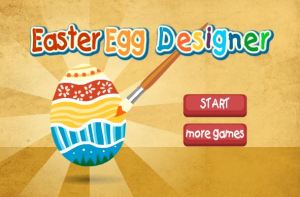
Easter Egg Designer

eastereggdesigner

Get your students’ creative juices flowing.  This activity is great for students who get frustrated with drawing. This activity allows for creativity by just clicking, dragging and dropping!

  • Let your students design their own Easter eggs in pairs (to practice  taking turns)
  •  On the smartboard to make a whole class created Easter egg
  • Or individually (if you have enough screens in the  classroom)

http://www.primarygames.com/holidays/easter/games/eastereggdesigner/

 Easter Egg Candy crush

eastereggcandycrush

Most of your students all probably know the game “Candy Crush”  Use their previous knowledge of this game to build excitement in the classroom. Have them practice teamwork by splitting the class into two groups  and helping them come up with systems to make group decisions.  Then let them compete against each other. Talk about how the competition played out. What did they do well? What could they do better next time?

http://www.primarygames.com/holidays/easter/games/eastereggs/

 Dye Easter Eggs in the Classroom!

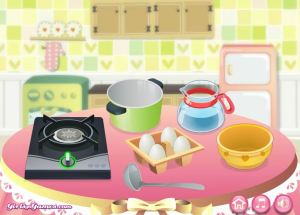
virtualeasteggmaker


Teach your students how to make  Easter eggs and an Easter basket – virtually!!

Some of your students may not get a chance to dye eggs this Easter. This activity allows your students to engage in this activity without all the mess. Have your students take turns. You could even turn this into a writing activity and have your students write a “How – To”  make Easter Eggs writing piece!

(*IMPORTANT NOTE: Remind them not to boil water/ go near the           stove without an adult!)

http://www.primarygames.com/holidays/easter/games/easterbasketmaker/

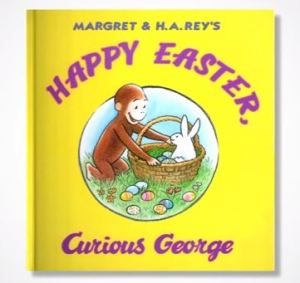
“Happy Easter, Curious George”  Read Aloud  

curiousgeorgeeaster

Pop in some think aloud questions/comments, and some turn and talks to get your students thinking during this read aloud. At the end of the read aloud, do a whole class conversation (or grand conversation) about the book to assess your students’ listening comprehension and to observe their level of critical thinking.

https://www.youtube.com/watch?v=4ATdGIp4V-s

I– I mean, “The Easter Bunny”, hopes you enjoy your basket!

Until next time,

 Heather 

HeatherBio: Heather is the Community Manager at Voki and is part of the Marketing Team at Oddcast.  Before she joined the Voki team, she was a teacher for 7 years!  She has taught in charter, private, and public schools all across NYC. With her teacher hat on, she will create meaningful, engaging, and relevant content that can be implemented in your classrooms.  She is excited to partner with you to engage and educate your students! 

Giveaways and Resource Goodies!

Giveaways and Resource Goodies!

GIVEAWAYS AND RESOURCE GOODIES

Our very own ambassador, Vipula Sharma, has created an extensive spread of all things Voki! She will also be giving teachers a chance to win a FREE SUBSCRIPTION of Voki Classroom and Voki Presenter! Stay tuned to learn how!

vipulatackk

Ever wonder how other teachers are using Voki? No need to just wonder anymore. Check out the variety of ways Voki is being utilized in Vipula’s Tackk (a fun way to create an informational collage and share about a topic.)

vipulatackk2

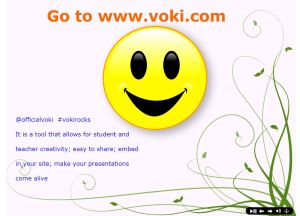
This presentation (Click on any of the screenshots to get directed to it) shares how teachers can use Voki and Voki Presenter. In fact, the presentation is made with Voki Presenter! It gives tips and pointers to teachers who may not realize the different interesting ways Voki can be used in the classroom.

vupulatack3

Like, if you want to make your Voki speak in a different language (one that Voki doesn’t provide) you must type phonetically!

The use of different languages in the classroom provides language diversity!  Giving students the chance to interact with different languages and accents is a proactive way of having a discussion around different cultures and languages and how to react when you hear a different accent or language. And if you are an ESL teacher, those students who may be nervous about speaking a new language, may feel more comfortable hearing their native language in the classroom and seeing their classmates interact with that language in a positive way.

vipula4

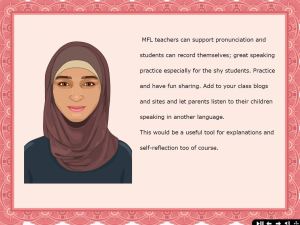
It’s great speaking practice. Students can record their voices and listen to how they sound. They can compare their own voices to Voki voices. For those students that are less prone to participate if they have to speak in front of the entire class, their Voki can speak for them.

vipula5

Mr. President kindly points out how to join and explore the Voki communities. Check out lesson plans on our Voki.com  website by clicking on the lesson plans tab at the top of the page, follow us on twitter, search for #VokiRocks to join the conversation, and read, comment, and share our blog posts at The Official Voki Blog. You CAN”T say no to Mr. President!

vip6

Here come your RESOURCE GOODIES! Vipula has created a list of online destinations for you to see what educators are saying about Voki and how they are using it!

vip9

For any beginners out there who are interested in creating a Voki,( C’mon you know you want to!) Vipula has added one of our tutorials to show you how quick, easy, and fun it is to create a talking character all your own.

vip8

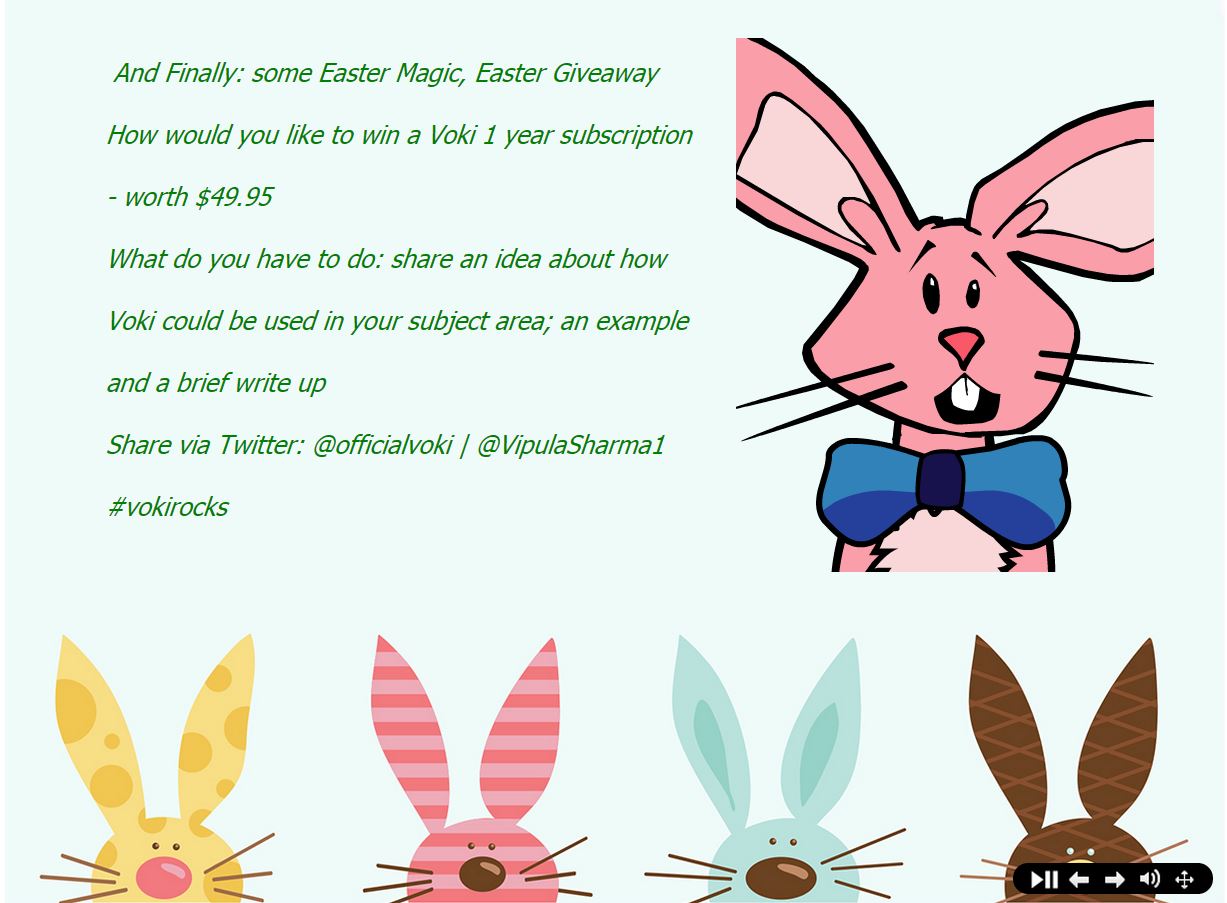
And now for the Giveaway!! What do you have to do?

  • Share an idea of how you would use Voki in a certain subject area
  • Share an example
  • Share a short write-up
  • Tweet it at @officialvoki and @vipulasharma1

vip7

Check out Vipula’s Tackk to see the whole Voki presentation and all of the resources she has compiled for her fellow teachers and Voki Lovers!

Thanks, Vipula!

vipula sharma

Vipula Sharma

Bio: Teacher of EAL, Extended Project & KS3-4 Careers Advisor | Tech Coach | a lifelong learner | keen to use technology to support and extend learning for all.