Q. How do I get embed code for student Voki’s on Voki Classroom?
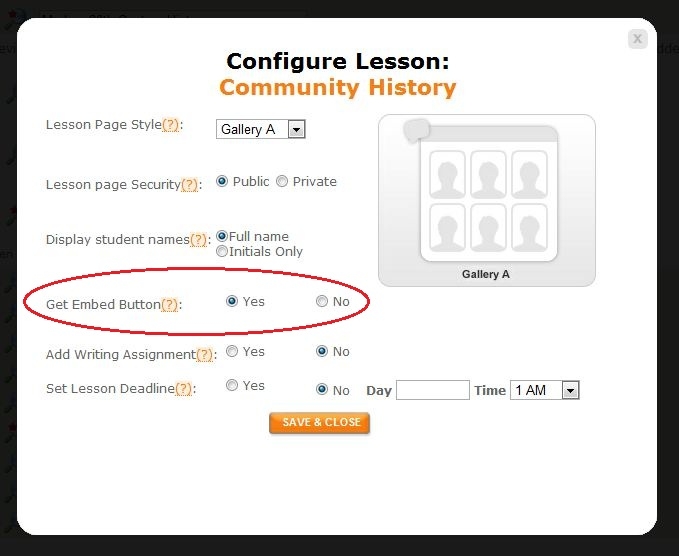
A. Voki Classroom gives teachers the ability to control student privacy. “Get Embed” is a privacy setting in the configuration for each assignment. In order to see the embed button for students’ Vokis in a lesson, you must allow this in the configuration window. To do this, follow these steps.
- Go to Classes tab.
- Click the Configure button next to the assignment of your choice.
- Select “Yes” next to Get Embed Button. You can find this option midway through the module.
As always, we are here to help! If you have a question, shoot us an email to feedback@voki.com and we will respond as soon as we can!
Until Next Time,
The Voki Team
 The Voki Blog - Expanding Education